



Search
Top

Station Equipment

Our station equipment is built for speed, reliability, and passenger convenience. Deployed across major metro networks worldwide, these solutions have been proven in cities such as Bangkok, Manila, Qatar, Bangalore, as well as in the RTS Link (Singapore-Johor Bahru) cross-border project.
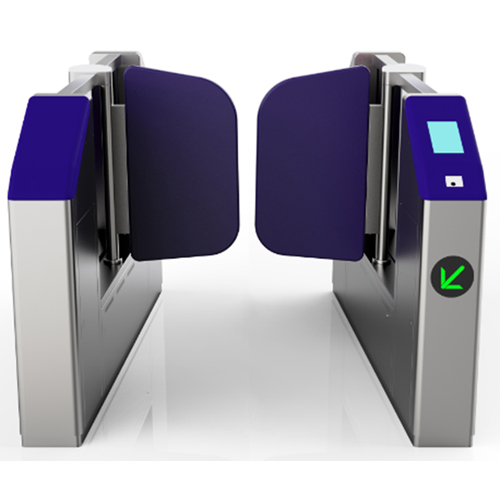
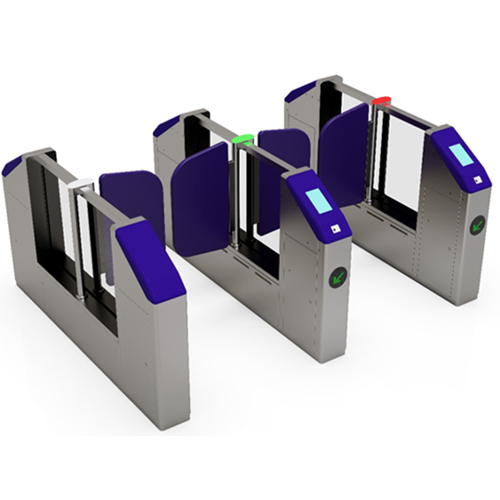
Automatic Gates (AG)

Automatic Gates (AG)

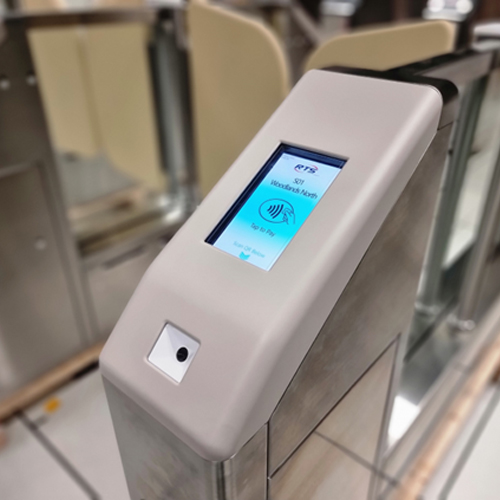
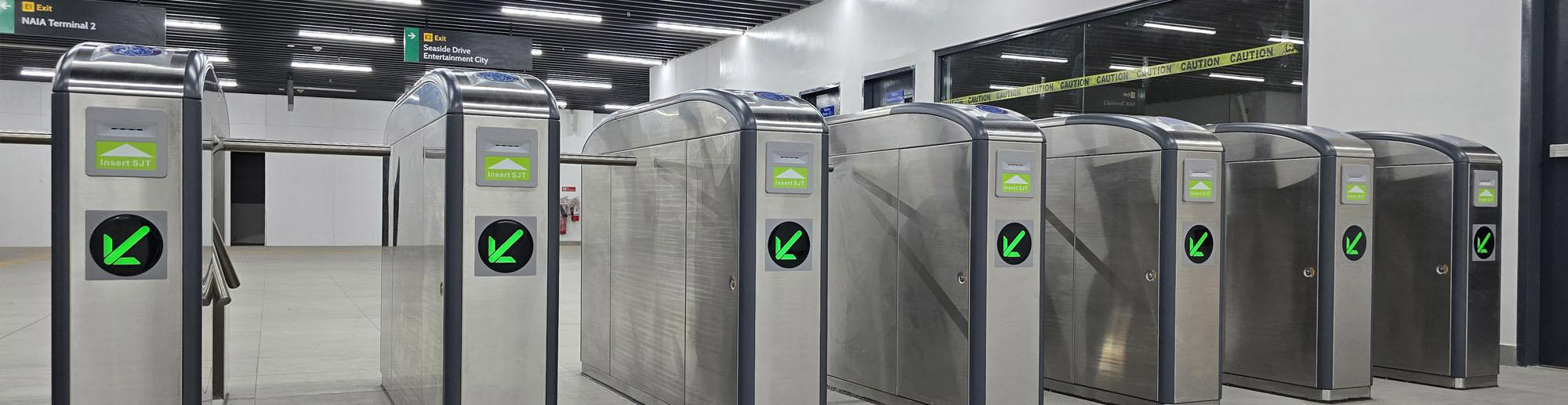
The Automatic Gate is a critical component in access control infrastructure, primarily designed to delineate the Unpaid Area from the Paid Area within controlled environments such as transit systems, entertainment venues, or secure facilities. This device plays a pivotal role in ensuring that only authorised patrons can transition into restricted or paid-access zones.

System Components

The Automatic Gate consists of two core subsystems:

  1. Validator:
    The validator serves as the user interface, enabling interaction between the system and the patron. It is responsible for:
    • Reading and verifying tickets, smart cards, mobile passes, or any valid media.
    • Providing immediate visual or audio feedback (e.g., acceptance, rejection, or error alerts).
    • Capturing transaction data and initiating the access decision-making process.
  2. Barrier Mechanism:
    The barrier is the physical mechanism that controls passage. Upon receiving an authorisation signal from the validator, the barrier:
    • Opens to permit entry for valid users.
    • Remains closed or triggers a security response if access is denied or an anomaly is detected.
    • Ensures safety through anti-tailgating features and emergency override protocols.

Communication with Back-Office Systems

The Entry Automatic Gate is not a standalone system; it is part of an integrated network that maintains constant communication with the central back-office systems via a secure communication interface. This connectivity ensures real-time data exchange and centralised control, enabling the following functionalities:

  1. Transaction Information:
    The gate transmits detailed logs of each access attempt, including timestamps, media used, access result, and any relevant metadata. This data is vital for auditing, billing, and system analytics.
  2. Event Status and Alerts:
    The gate sends real-time notifications regarding its operational status, such as barrier malfunctions, unauthorised access attempts, or hardware errors, allowing for timely maintenance and incident response.
  3. Time Synchronization Information:
    Accurate timekeeping is crucial for transaction validation and system integrity. The gate periodically synchronises its internal clock with the central system to maintain consistency across the network.
  4. Positive/Negative Lists:
    The gate utilises centrally managed lists to expedite validation:
    • Positive lists include pre-approved users or tickets for seamless entry.
    • Negative lists contain blacklisted or invalid credentials that are automatically denied access.
  5. Configuration Parameters:
    Configuration settings such as operational modes, access rules, language preferences, or display settings can be remotely pushed from the back-office to ensure system-wide consistency and rapid adaptability.
  6. Remote Commands or Status Inquiries:
    The system supports remote diagnostics and control, allowing operators to:
    • Query the current status of the gate.
    • Issue commands like reboot, open barrier for emergency, or initiate maintenance mode.
    • Retrieve health and performance reports.

Supported Fare Media Types

  1. Contactless Smart Cards (CSCs)
    Based on technologies such as MIFARE, Calypso, or NFC.
  2. Mobile Tickets (m-Tickets)
    Delivered via apps or digital wallets using NFC, QR codes, or Bluetooth.
  3. Printed QR/Barcode Tickets
    Paper or e-tickets containing 1D/2D barcodes (most commonly QR codes).
  4. Bank Cards (EMV Contactless – EMV)
    Support for contactless credit/debit cards following EMV standards.
  5. Virtual Cards / Wearables
    Includes smartwatches, fitness bands, or NFC-enabled wearables.

Fare Media Processing Capabilities

  1. Media Detection & Validation
    The AG automatically detects the type of fare media presented and routes it to the appropriate validation engine.
  2. Offline & Online Validation
    The system supports both offline validation (via whitelist/blacklist) and online validation (via API calls to back-office systems), ensuring flexibility even during network outages.
  3. Secure Authentication
    All fare media interactions are secured using encryption and authentication protocols to prevent fraud and ensure data integrity.
  4. Multi-format Compatibility
    The validator hardware and firmware are designed to handle multiple data formats, encryption schemes, and communication protocols associated with each media type.

Gate Barrier Types

  1. Flap Barrier (Swing Flap Gate)
  2. Swing Gate (Swing Arm Barrier)
  3. Tripod Turnstile
  4. Sliding Gate (Sliding Flap/Panel)
  5. Full-Height Turnstile

Ticket Vending Machines (TVM)

Ticket Vending Machines (TVM)

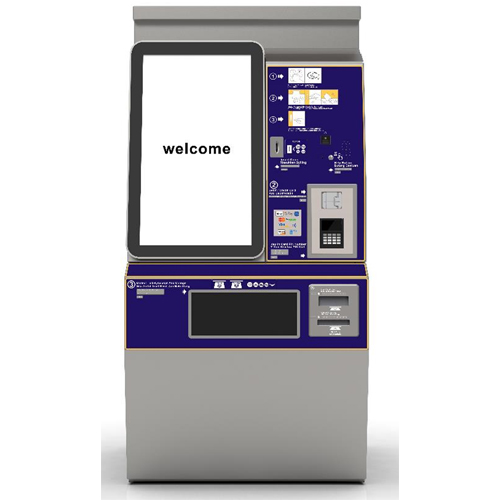
Our Ticket Vending Machine (TVM) is engineered with a modular design to ensure maximum uptime, efficient maintenance, and a seamless passenger experience. Each sub-module is uniquely designed for quick removal and replacement, significantly reducing on-site servicing time and boosting the overall availability of the machine.

Modular, Maintenance-Friendly Design

  • The TVM features a fully modular architecture, with independent components that can be easily accessed, removed, and replaced by maintenance personnel.
  • Modules are uniquely shaped and sized to prevent confusion during maintenance, streamlining the service process.
  • All modules are mounted using tool-free mechanisms or require only simple tools such as screwdrivers — no complex equipment needed.

User-Friendly Ticketing Experience

  • The TVM is designed to accommodate both first-time users and regular commuters, allowing them to purchase single-trip QR code tickets quickly and easily. It supports multiple payment methods, ensuring convenience across both Malaysia and Singapore.

Key Features and Functions

  • Purchase one or multiple single-trip QR code tickets
  • Accept multi countries coins and banknotes depending on installation location
  • Dispense change for overpayments
  • Accept magnetic stripe, contact, and contactless credit/debit cards
  • Return inserted cash if the transaction is cancelled
  • Print and issue receipts
  • Display clear on-screen instructions and notices
  • Provide audio output for messages and instructions
  • Built-in security and alarm systems
  • Real-time communication over network to send and receive transaction data

Remote Control and Integration

  • The TVM is seamlessly connected to the Station Control System (SCS) via Ethernet LAN, allowing the Operator to remotely enable or disable specific functions — for example, switching to cash-only mode or disabling change issuance, depending on operational requiremets.

Point-of-Sale Terminals (POS)

The Point of Sale (POS) is an advanced, integrated point-of-sale machine installed within the Passenger Service Centre to assist passengers with a wide range of ticketing services. Manned by station operators, the POS is strategically located to serve both Paid Areas and Free Areas, ensuring convenient access for all passengers.

Comprehensive Ticketing and Payment Services

Designed to streamline passenger transactions, the PSM delivers an intuitive and interactive experience with support for multiple ticketing and payment functions, including:

  • Touch-enabled, high-resolution operator display for easy system interaction through a graphical user interface
  • Passenger-facing display for real-time updates and transaction feedback
  • Clear audio output to enhance accessibility, including for visually impaired passengers
  • Read and top-up all contactless smart cards (CSCs)
  • Issue and print QR code tickets
  • Scan and validate QR code tickets
  • Print transaction receipts on request
  • Generate and print shift reports for operational tracking
  • Accept payments via cash, bank cards, and e-wallet applications

User-Friendly and Ergonomic Design

The POS is thoughtfully designed for operator comfort and ease of maintenance, with:

  • All components and test points accessible from the front
  • Status monitoring of all access doors and covers, integrated with the Equipment Control Unit (ECU)

Robust Software and System Architecture

  • The POS runs its application software on the ECU, using the latest Microsoft Windows operating system
  • All software is developed using a high-level programming language (C++), supporting key features such as ticket sales, refund processing, and shift management

Secure and Managed Back-Office Integration

The POS ensures smooth and secure integration with the AFC Back Office System, including:

  • Startup synchronisation to retrieve latest software, login credentials, configuration data, and positive/negative lists
  • Remote software and OS updates, downloaded securely from the back office
  • Full version control with records of version number, download time, and installation date
  • Automatic update handling – updates are only installed after complete transmission and verification by the POS

With its powerful features, ergonomic design, and reliable integration, the Point of Sale plays a vital role in delivering fast, flexible, and secure ticketing services to commuters on both sides of the RTS Link.

Station Computers (SC)

The Station Computer (SC) is a critical AFC Level 2 component, located within the Passenger Service Centre of each station. It serves as the central control and monitoring hub for all Automated Fare Collection (AFC) devices at the station, ensuring seamless operations and secure data exchange with the AFC Back Office System.

Centralised Monitoring and Control

Manned by station operators, the SC provides a comprehensive interface for monitoring the status, performance, and events of all station AFC devices. These devices are connected to the SC via the Station Local Area Network (LAN), enabling real-time visibility and control.

Reliable Communication with Back Office

The SC is connected to the AFC Back Office System via a secure Wide Area Network (WAN). Communication between the SC and the back office occurs over Ethernet (AFC LAN), supporting the exchange of critical operational data, including:

  • Device health status
  • Transaction records
  • Event and status logs
  • Clock synchronisation
  • Positive/negative card lists
  • Configuration parameters

This communication can be triggered automatically at predefined intervals or manually by authorised personnel.

Secure Access & User Authentication

  • The SC requires multi-factor authentication (MFA) for user login at each startup, ensuring only authorised users gain access.
  • A session timeout feature logs users out after a configurable period of inactivity, enhancing security and accountability.

System Configuration & Support

  • The SC is delivered pre-configured, with details such as location and hardware components clearly defined.
  • It operates on the latest Microsoft Windows operating system, with all required OS and software licenses included and managed.

The Station Computer is a mission-critical component that ensures operational continuity, device control, and secure communication between the station and the central back office — forming the backbone of a reliable AFC ecosystem.

Bus Equipment – Elypse Line

Our Elypse product line equips buses with smart ticketing devices for fast, contactless boarding and seamless integration with the back office.
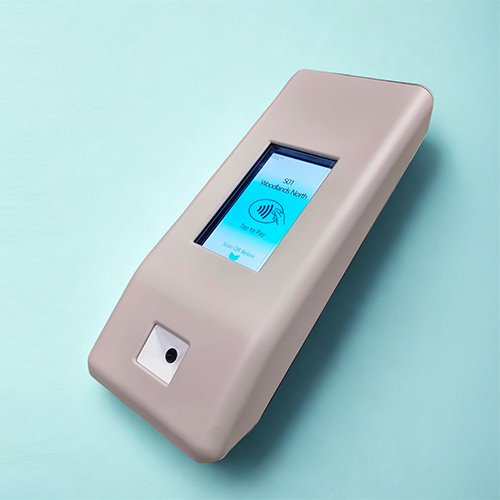
Elypse AG Validator (AGV)
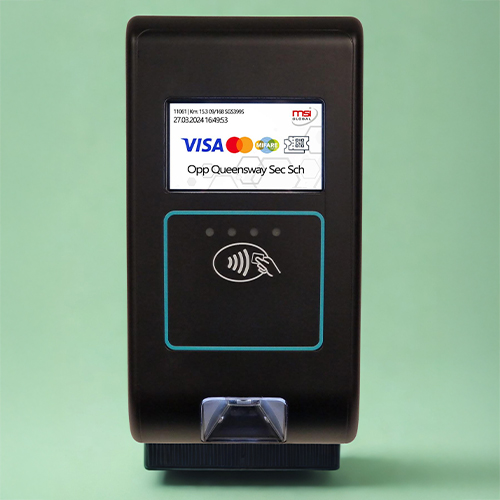
Elypse AG Validator (AGV)

Elypse V Essential
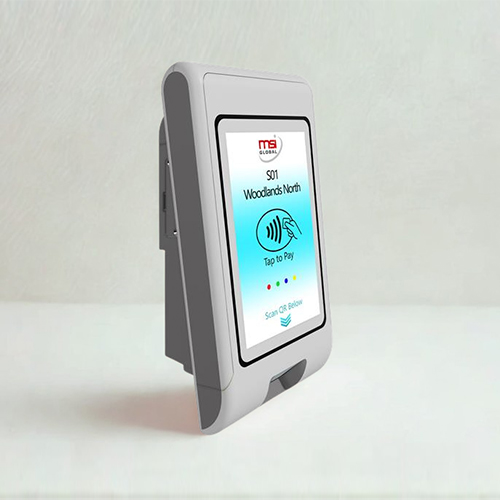
Elypse V Essential

Elypse V (Validator)
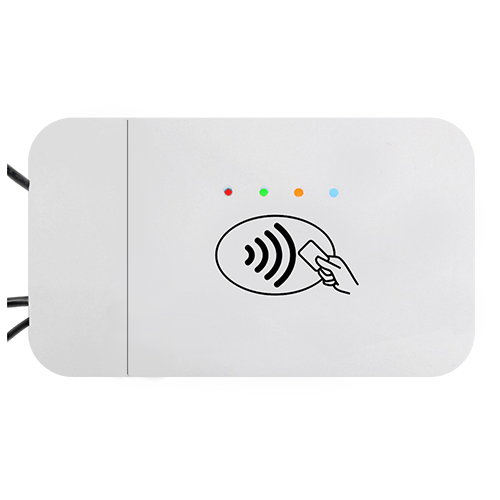
Elypse V (Validator)

Elypse R (Reader)

Elypse R (Reader)

  • Validators – Accept multiple fare media, including smart cards and mobile payments
  • Consoles – Provide drivers with operational control and transaction monitoring
  • Readers – Ensure accurate fare capture and reliable performance on the move